Join our community QQ group

Built for craft,made for Minecraft.

Lightweight, native Minecraft: Java Edition launcher. Unified experience across all three desktop platforms, 100% verified on real hardware across versions and loaders. No bloated web wrappers, no compatibility guesswork.


Why use mcl

Switching a launcher takes patience. mcl is engineered around native responsiveness, verifiable file operations, and a clean surface without web bloat.

Go + MyGo Native UI

Compiled single binary driving native graphics and text rendering directly—zero Chromium, zero Node, fast startup.

macOS & Windows

Official releases ship notarized Apple Silicon & Intel DMGs alongside portable Windows x64 and ARM64 binaries.

Dual-Source Market

Search and install mods, shaders, resource packs, datapacks, and modpacks across Modrinth and CurseForge.

Five Loaders Supported

First-class Vanilla, Fabric, Forge, NeoForge, and Quilt setup including modern spec-1 Forge client processors.

Dependency Diagnostics

Reads local JAR metadata cleanly offline to catch missing prerequisites, conflicts, or disabled dependencies.

Fingerprint Matching

Streams SHA-1 and CurseForge hashes to identify pre-existing mod files strictly by digest—never guessing by filename.

Auto Java & Temurin

Scans local JDKs concurrently and fetches verified Eclipse Temurin builds automatically if a required major version is missing.

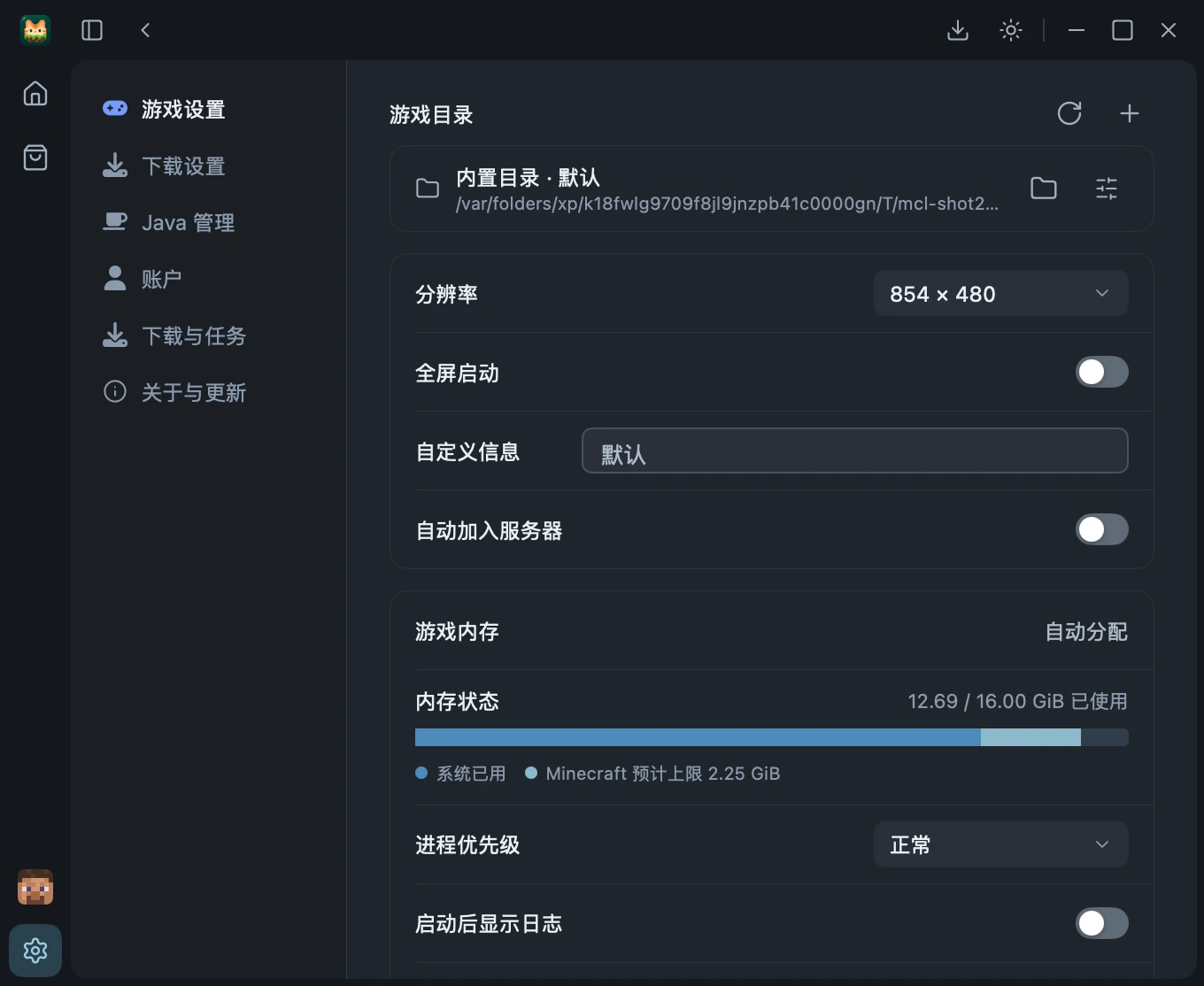
Smart Memory & 5 GCs

Computes balanced -Xmx allocations from physical RAM and adjusts ZGC flags cleanly through Java 23+.

File Locks & Atomic Publish

OS-level instance locks, isolated staging directories, and undoable deletes guard every write against races.

Clean MIT Open Source

No ads, no telemetry, no hidden agents. Download streams check SHA-1/SHA-256 and logs redact sensitive tokens.


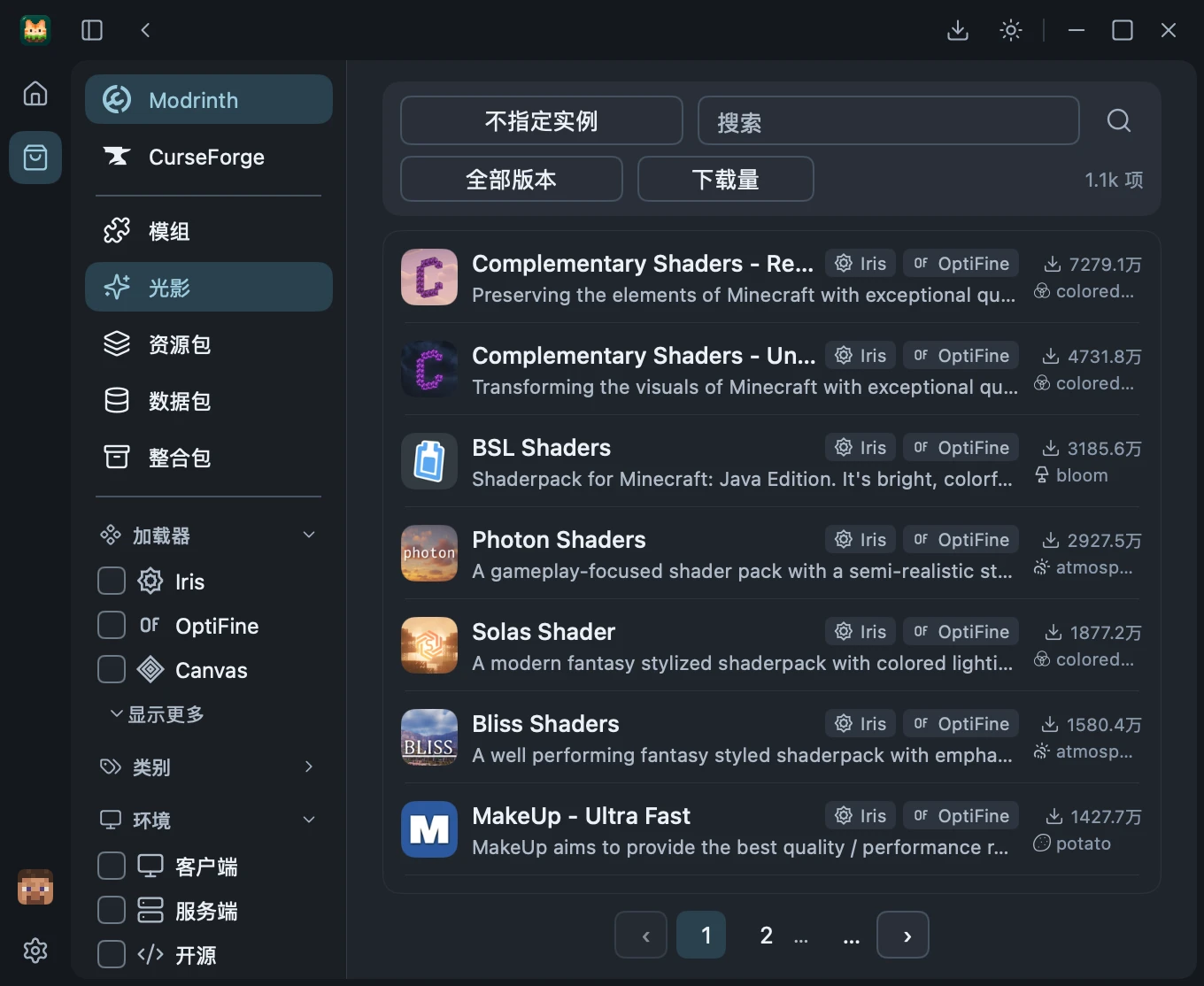
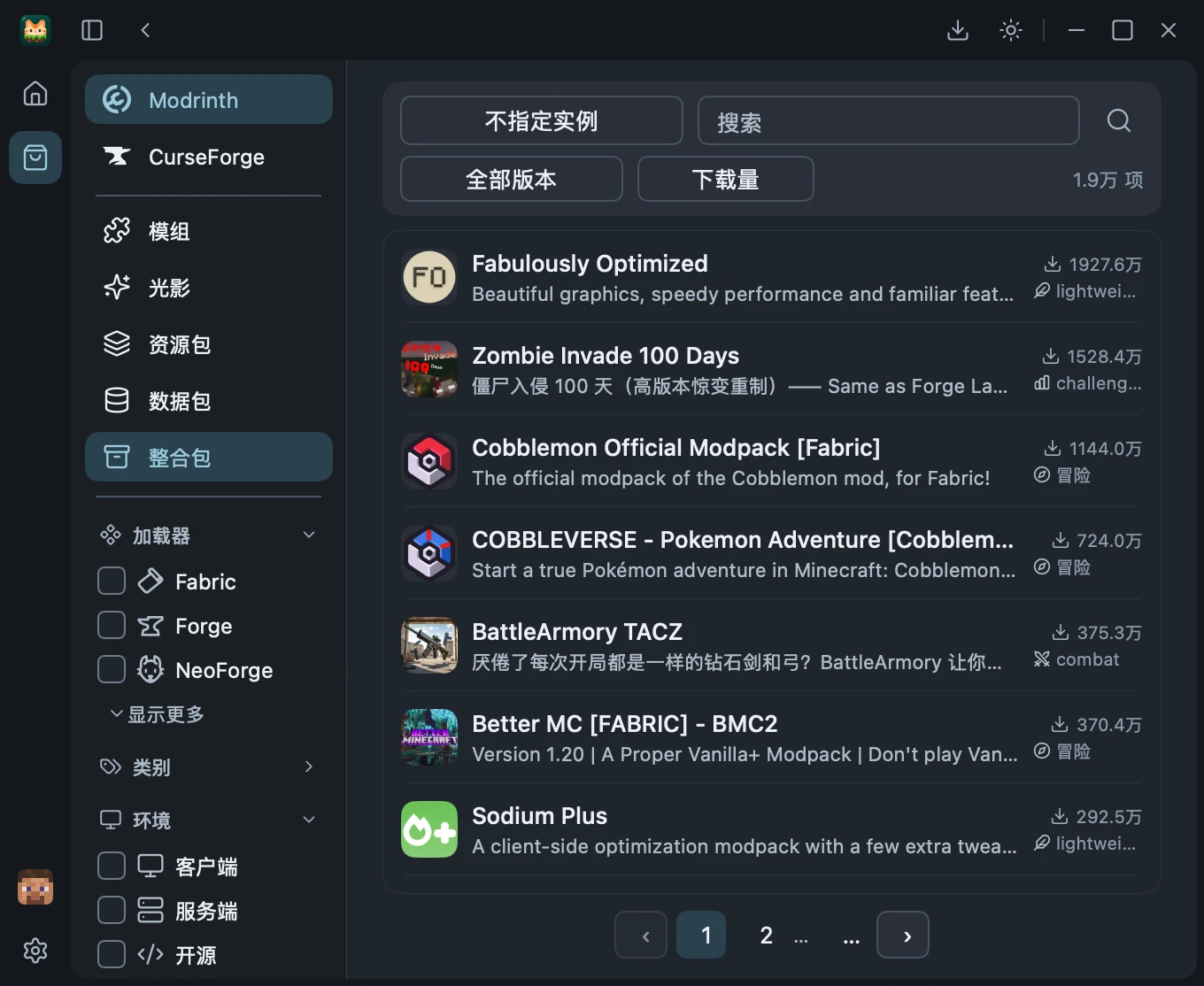
Browse Modrinth & CurseForge without friction

Unified multi-select filtering for loaders, categories, and client/server environments—backed by cancellable tasks and verified disk staging.

Filtered Search & Rich Project Views

Filter directly against your target instance's Minecraft version and loader. Read bounded Markdown overviews, inspect version changelogs, and preview required dependency plans before writing anything to disk.

Modrinth & CurseForge side by side
Multi-select loaders & environments
Automatic required dependency resolution
Hash-checked staged downloads

Strict Distribution Rules & Safe Publishing

When CurseForge projects restrict automated downloads, mcl never bypasses limits or scrapes private proxies—it verifies your locally downloaded file by pinned digest and size before safely publishing.

Non-overwriting isolated file staging
Mods, shaders, packs & CurseForge worlds
Version updates preserve disabled state
Automatic rollback from transaction journal

Isolated Instances & Modpack Workflows

Keep every version and modded setup cleanly separated, whether built from scratch or imported from a community pack.

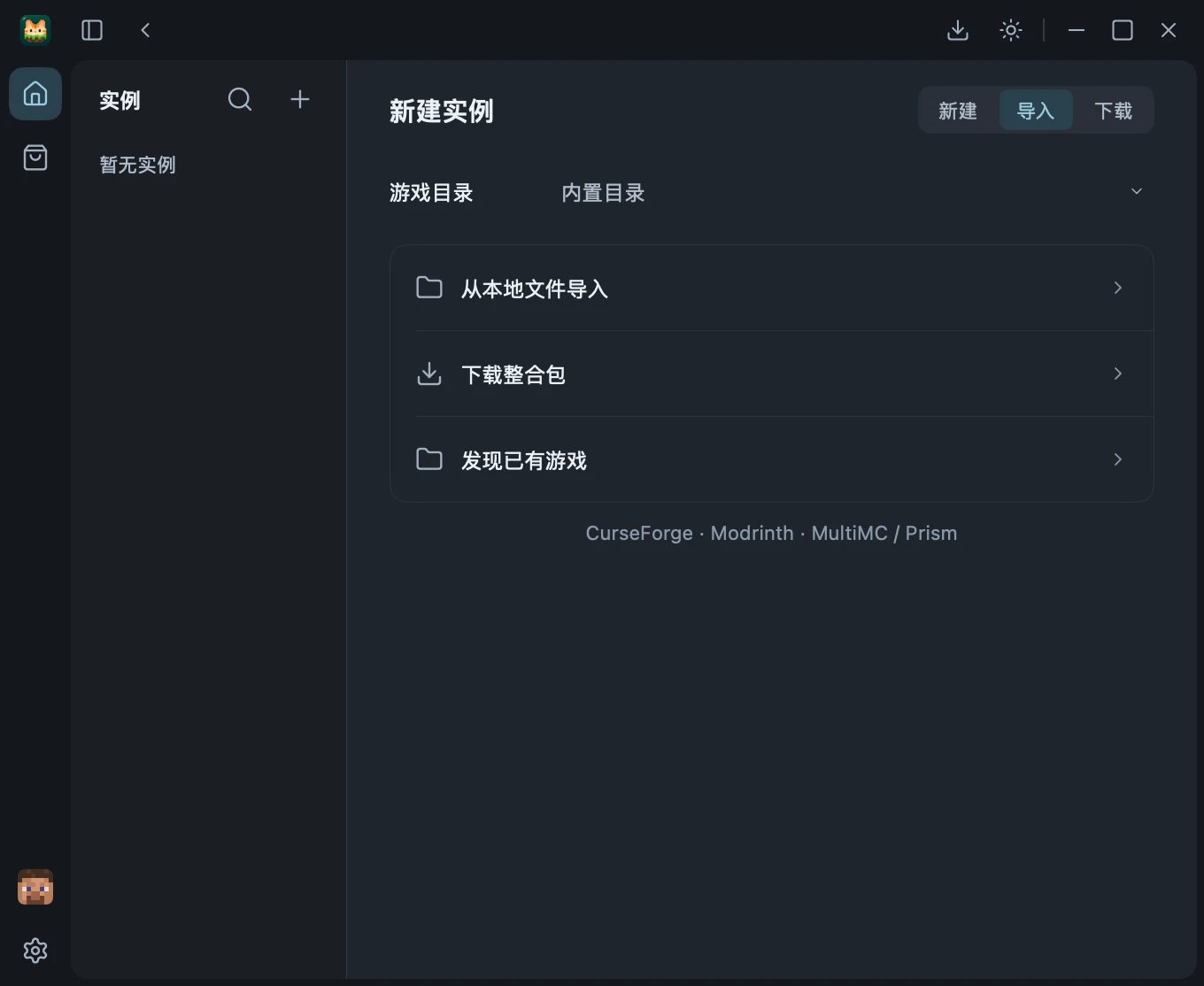
Create, Import & Hand-Crafted Pixel Presets

Provision clean Vanilla instances, wire up Fabric / Forge / NeoForge / Quilt, or import `.mrpack`, CurseForge archives, and existing MultiMC / Prism setups—paired with custom 16×16 pixel sprites or your own 80×80 PNG icon.

Vanilla
Fabric
Forge
NeoForge
Quilt

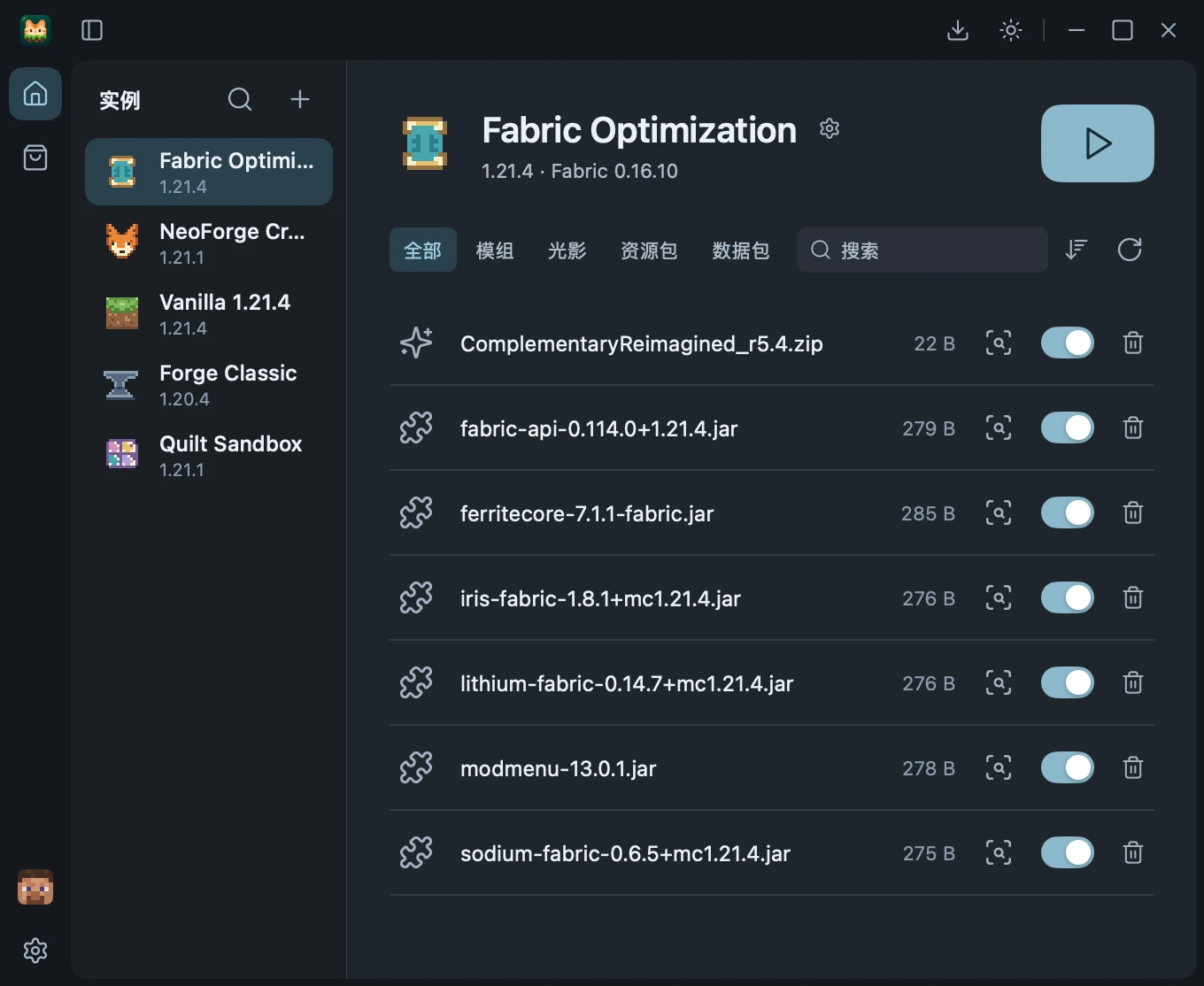
Asset Controls, Identity & Local Checks

Toggle or remove installed files with session undo, trace unknown files by SHA-1 / CurseForge fingerprint, and verify `fabric.mod.json` / `mods.toml` relationships offline before changes apply.

Offline Fabric, Quilt, Forge & NeoForge checks
Strict SHA-1 / size fingerprint matching
Undoable asset removal inside the session
Pre-flight safety checks before toggling

Zero-Guesswork Java & Tracked Launch

Skip manual `-Xmx` math and hunt-and-peck JDK installs. mcl pairs automatic runtime selection with OS locks and clean authentication.

Auto Java Resolution & Memory Sizing

Before launching, mcl matches the exact required JDK major version and CPU architecture on your system—or downloads an official Eclipse Temurin package verified by SHA-256. Memory scales safely from physical RAM alongside 5 GC strategies.

Concurrent local JDK discovery
Verified Eclipse Temurin installer
Quarter-RAM allocation (2–6 GiB cap)
G1GC, ZGC & Shenandoah compatibility

Microsoft OAuth & Process Handoff

Sign in via official browser OAuth (`MCL_MICROSOFT_CLIENT_ID`) or manage Offline profiles with zero bytecode agents. Tracked process handoff watches the live game window and redacts secrets from session logs.

Official Microsoft OAuth & Offline IDs
OS file locks prevent concurrent corruption
macOS Quartz detection for first game window
Token redaction across logs & diagnostics

Genuinely Open Source

mcl is licensed cleanly under MIT on GitHub. Every line of download verification, mod metadata parsing, locking, and native UI lives openly in the repository.

MIT
License
v0.0.8
Latest Release
Go
MyGo Native UI

github.com/Lingwcy/mcl

Strict clean architecture: core/* domain packages carry zero UI dependencies, while platform/* and storage/* enforce OS file locks and atomic staging that you can audit line-by-line.

What you can do

  • Inspect, fork, modify, and redistribute the codebase or builds under MIT terms
  • Compile everything reproducibly from source using the bundled Go toolchain wrapper
  • Supply your own Microsoft Client ID or session-only CurseForge API Key
  • Audit every hash check, lockfile, and launcher argument—or contribute a PR

What we won't do

  • Ship banner ads, sponsor popups, promoted modpacks, or analytics beacons
  • Borrow third-party client IDs, bundle leaked keys, or bypass author restrictions
  • Inject external Java agents, rewrite game classes, or intercept auth checks
  • Hide features inside closed binaries, background daemons, or paywalled tiers

Frequently Asked Questions

How is mcl built under the hood?
mcl is written in Go with MyGo for native desktop UI rendering—meaning no embedded web browser, Chromium process tree, or JavaFX launcher shell. Core packages remain strictly separated from UI and platform OS adapters.
Why does Microsoft sign-in mention a custom Client ID?
mcl never borrows or bundles another project's Azure client ID. Official CI release builds provide Microsoft login directly, while local development builds let you supply your own personal app ID via `MCL_MICROSOFT_CLIENT_ID` or an ignored `.env.local` file.
Do I need a CurseForge API key, and what about restricted downloads?
Modrinth works out of the box with no key. For CurseForge, you can paste your own API key in-memory inside the Market panel or set `MCL_CURSEFORGE_API_KEY`. When a mod author disables automated downloads, mcl guides you to download it manually and validates the exact file hash before installing.
Does mcl modify the Minecraft client or inject Java agents?
No. mcl intentionally excludes external Java agents, bytecode patching, or authlib-style injectors so game launches remain clean and faithful to official manifests.
Which platforms are supported?
Pre-built releases target macOS (signed and notarized Apple Silicon `arm64` and Intel `amd64` DMGs) and Windows (`x64` and `ARM64` portable `.exe` binaries). See the Building from Source guide in Docs for toolchain details.
How do I verify downloaded releases?
Every GitHub Release includes a `SHA256SUMS` manifest, and macOS DMGs are code-signed and notarized with Apple Developer credentials.

Credits

The development and growth of mcl would not be possible without their dedicated work and support.

Ou_TakahiroOu_Takahiro
XiaoMouzOvOXiaoMouzOvO
iskjiskj